AWS Data Lake Folder Structure for Beginners: A Simple S3 Layout That Scales
When you start building pipelines on AWS, one of the first mistakes is treating S3 like a random file dump.
That works for a week. Then queries get slow, jobs become brittle, and nobody knows which data is trustworthy.
This guide gives you a simple folder layout you can start with on day one.
When to use this approach
Use this if you are a data engineer building a batch-first platform on AWS with S3 + Glue + Athena (and possibly dbt later).
You do not need advanced lakehouse tools to get this right. A clean folder strategy already solves many operational issues.
Why folder structure matters
A good S3 structure helps you:
- separate source truth from transformed data
- apply clear ownership and permissions
- make partition pruning easier in Athena
- recover from bad jobs without deleting everything
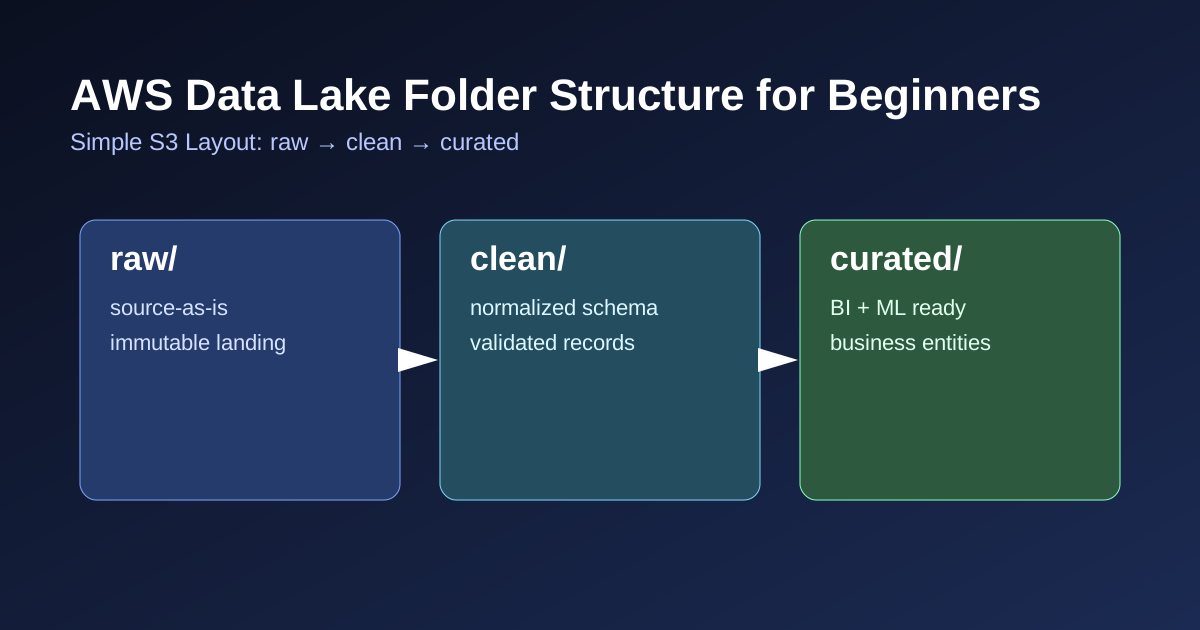
Think of it like this:
- Raw = receipt of what arrived
- Clean = standardized, validated records
- Curated = business-ready tables for BI/ML
A practical beginner layout
Start with this pattern:
1
2
3
4
5
6
7
8
9
10
s3://company-data-lake/
  raw/
    crm/customers/ingest_date=2025-03-29/
    billing/invoices/ingest_date=2025-03-29/
  clean/
    customer/customer_profile/dt=2025-03-29/
    finance/invoices_normalized/dt=2025-03-29/
  curated/
    analytics/daily_revenue/dt=2025-03-29/
    ml/customer_churn_features/dt=2025-03-29/
Keep it boring and predictable. Boring is good in production.
Naming conventions that save future-you
Use these rules consistently:
- lowercase only
- use underscores in dataset names (
customer_profile) - use explicit date partitions (
dt=YYYY-MM-DD) - avoid spaces and special characters
- keep domain names stable (
finance,customer,analytics)
Avoid naming by person/team (john_tmp, new_data_final_final).
Partitioning basics for beginners
Partitioning means storing data by a key (usually date) so query engines scan less data.
Good first default:
- partition large fact datasets by
dt - do not over-partition tiny datasets
- keep partition keys in path and metadata/catalog
If every query filters by date, date partitioning gives immediate cost and performance gains.
Minimal implementation path (first week)
- Create buckets/prefixes for
raw,clean,curated - Route ingestion jobs to
raw - Run normalization jobs from
raw -> clean - Publish analytics entities from
clean -> curated - Register datasets in Glue Catalog
- Query curated data with Athena
This is enough for a production-capable v1.
Common mistakes
- writing transformed data back into
raw - mixing multiple source systems in one folder without source keys
- no partitioning on high-volume data
- changing folder naming rules every sprint
- deleting raw data too early
Quick checklist
Before shipping your layout:
- Are raw, clean, curated clearly separated?
- Does each dataset have an owner?
- Is date partitioning defined for large tables?
- Can a bad transform be rolled back without losing raw files?
- Can a new engineer understand the structure in 10 minutes?
If yes, your foundation is strong.
Final thought
You do not need a complex platform to run reliable data pipelines. You need clear boundaries and consistent structure.
Start simple, keep naming strict, and evolve only when scale actually demands it.